I recently sold my Elecraft radio and changed to a Flexradio with the idea to shrink down in size. I was looking forward to ditching external hardware to save space in my shack. I unpacked the Flex and installed SmartSDR 4.3.16 and upgraded the radio to the matching firmware.

My first tests were a few SSB QSO’s. That worked fine. But, I am mainly a CW-operator and like CW-contests so I wanted to setup the system for CW. Unfortunately SmartCAT refuses to start. I have tried many things like uninstalling virtual port emulators, reinstall the software a few times, disable the memory integrity setting in Windows, started offline with all security disabled, but SmartCAT kept crashing on start-up.
I contacted Flex and they are helping me diagnosing the problem. I have sent them log and file-details, but communication is slow given that we live in different time zones. This is taking too long and who knows when they will find a fix. I missed out on a few contests already.
An option was to try AetherSDR. It’s a program which uses all available (and licensed) API’s on the radio. I saw it had CAT, but unfortunately no CAT-port emulation. I suppose the reason for this is that these drivers are buried deep in the Windows kernel and for that reason they need to be signed, otherwise modern security settings won’t load them.
I took an effort with the com0com virtual port emulator, but it turns out, despite saying they are signed drivers, they not really are signed and it requires a Windows setting which would lower down the security hardening tremendously. That didn’t sound appetising. So, I dusted off the Microham u2R keyer. That one has virtual port driver, based made by Eltima.
My first worry after installing the Router software was that I would have the same issue with the drivers not being signed. Fortunately that wasn’t the case. It required disabling the Memory Integrity setting, which by the way is also a recommendation to try if SmartCAT doesn’t work. Now the drivers loaded and I set up a port for N1MM by creating a virtual port in the Virtual Port menu. It still required some fiddling with the settings, but now I got it working. Next all the settings.
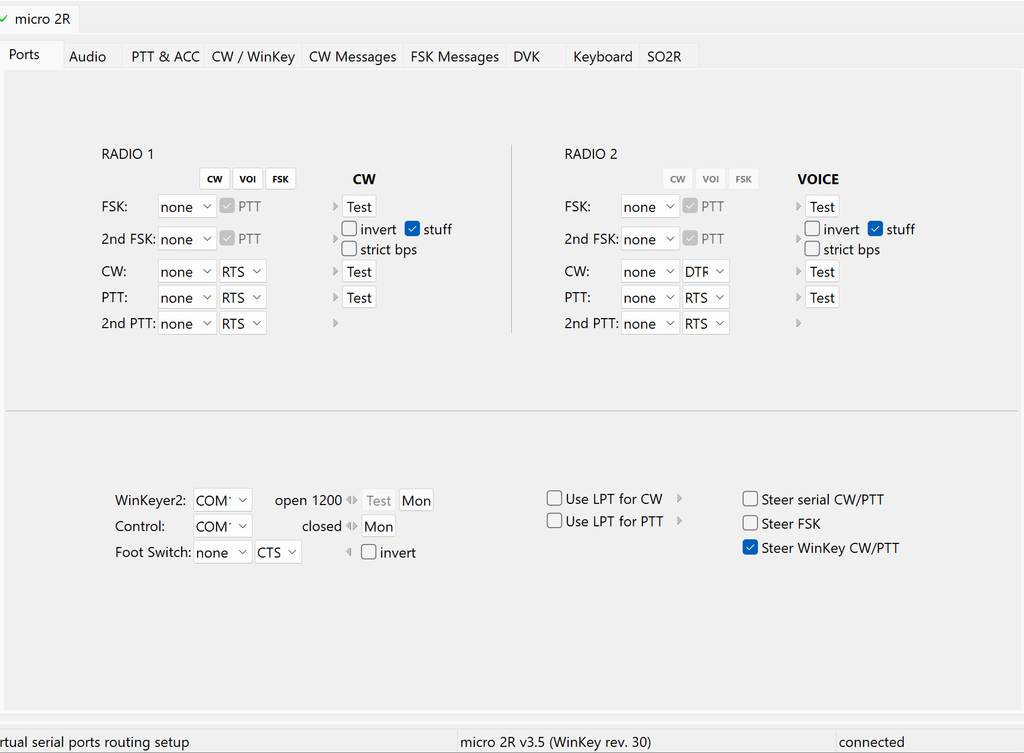
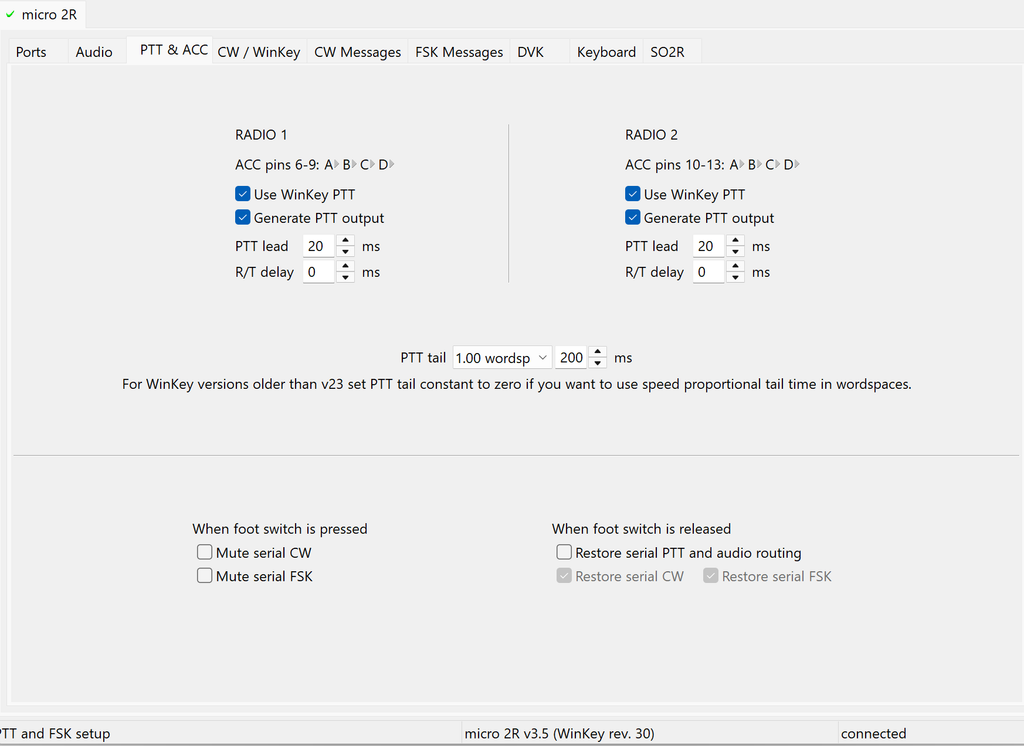
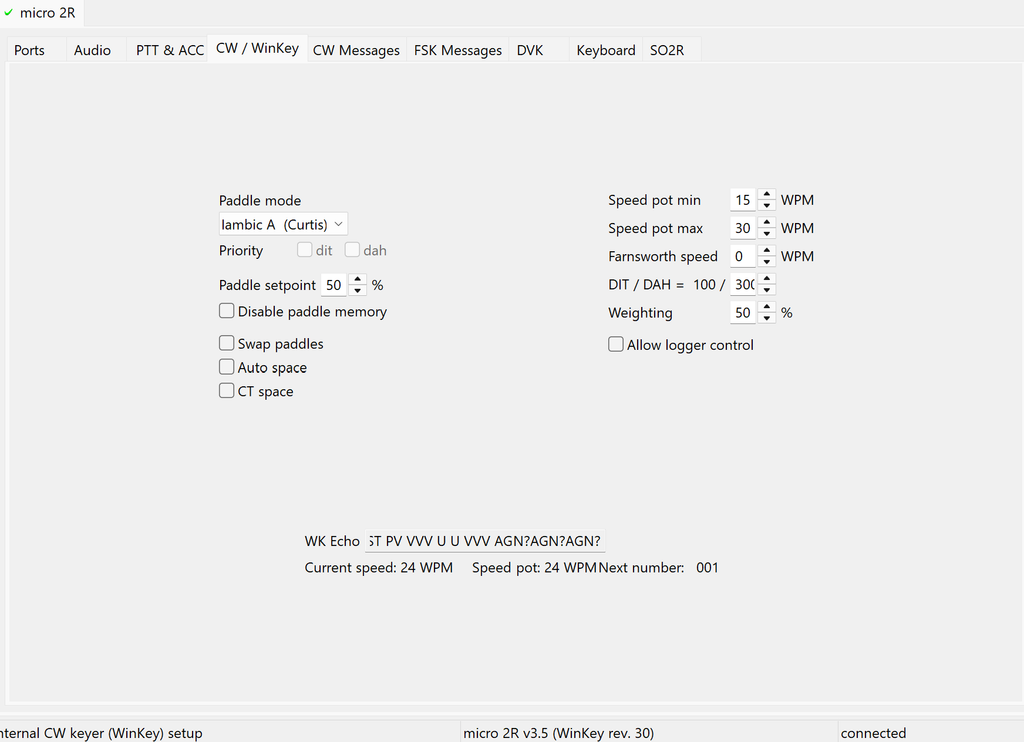
I left all other settings default. Now the N1MM settings
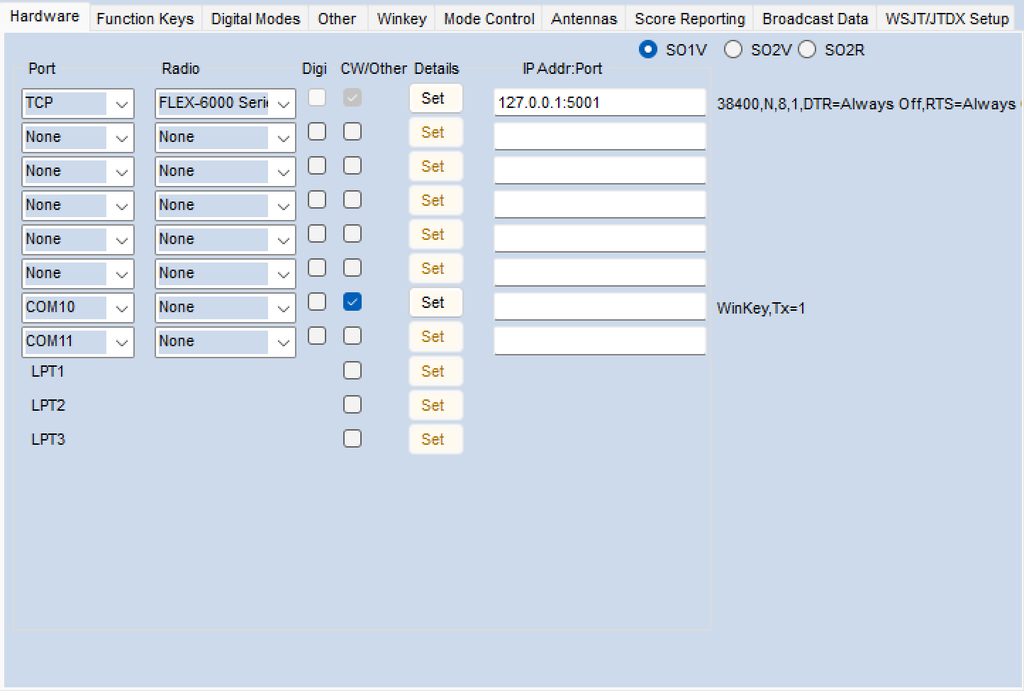
The frequency information is received from AetherSDR via their CAT-emulator on port 5001 via a TCP connection. The radio is set to Flex-6000 series.
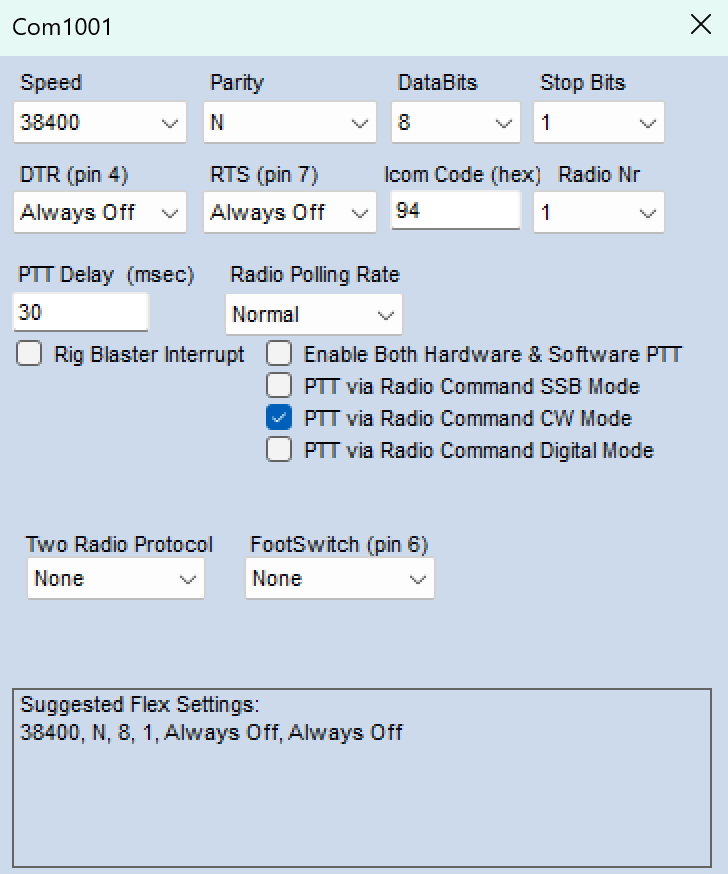
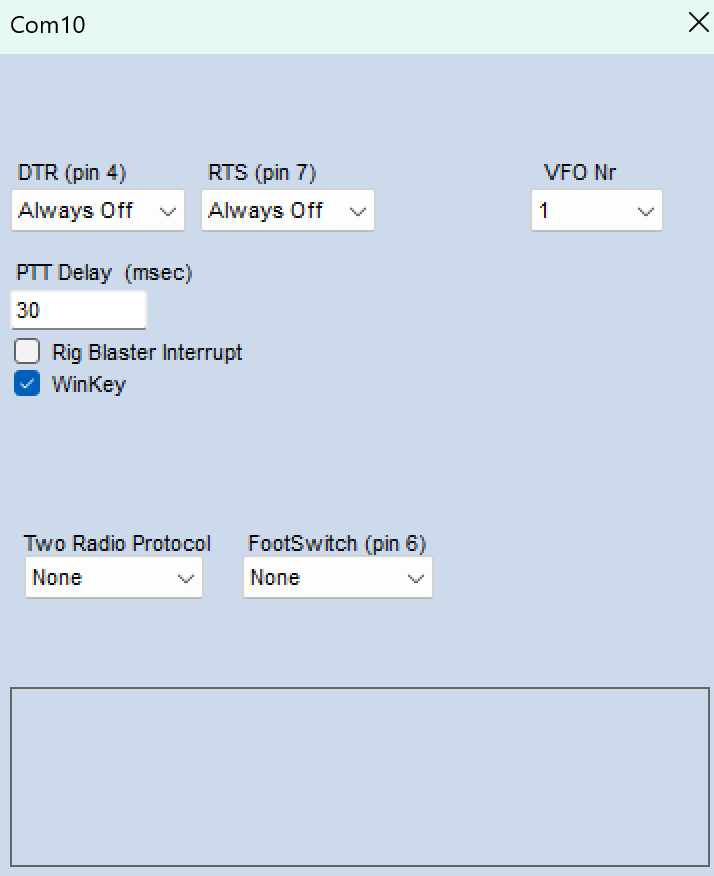
Make sure the VFO nr of both settings match and WinKEY is ticked. DTR/RTS always off. Next AetherSDR settings.
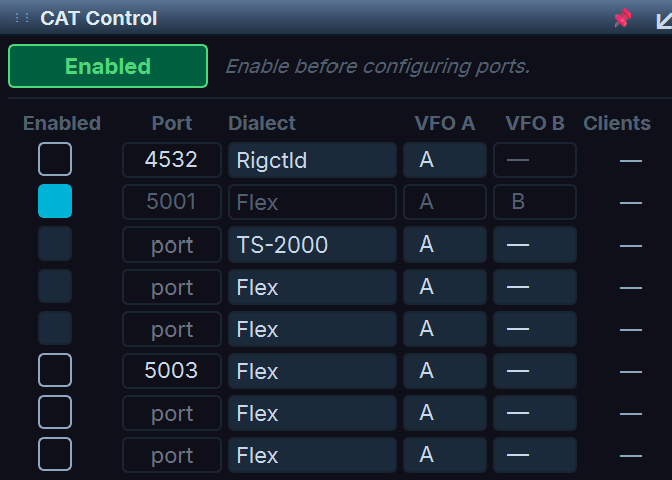
Use port 5001 with the Flex dialect, and tick the box and Disabled so that the latter turns green and shows Enabled.
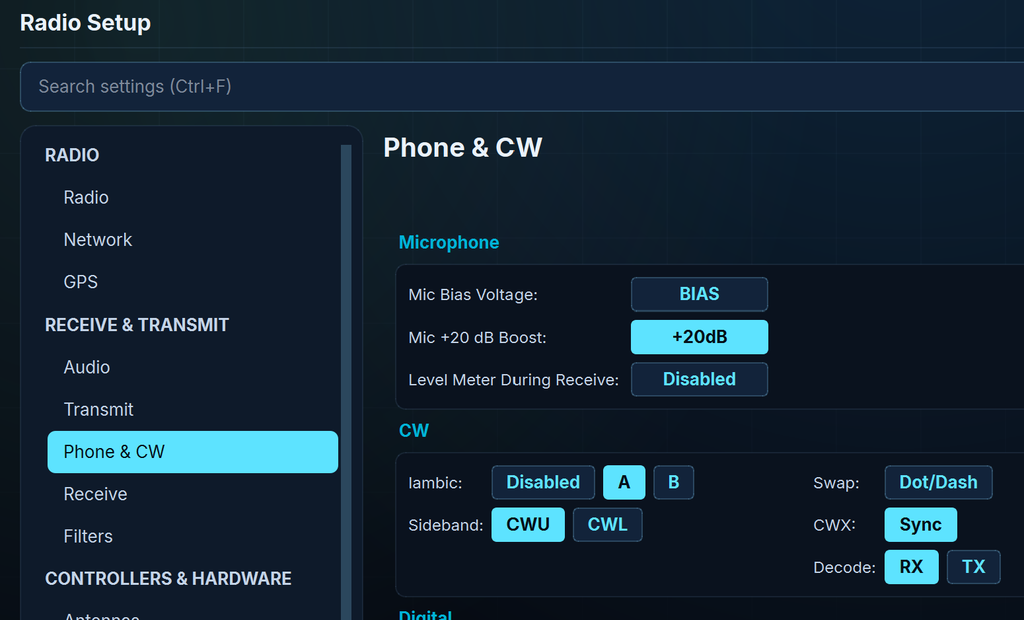
Make sure under Radio Settings you disable Iambic, or else they keying is messed up.
Now you can run AetherSDR to keep an eye on the ether, and use N1MM for contesting. Good luck and 73!